Easter Wall Signs Bundle Laser Cut: Transforming Digital Files into Festive Home Decor
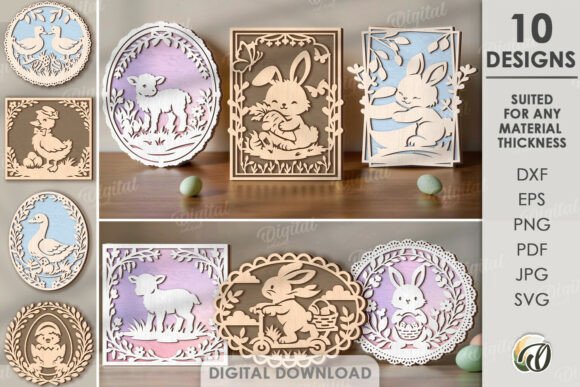
Spring brings a renewed sense of energy, and for many crafters and DIY enthusiasts, it is the perfect time to refresh living spaces with seasonal touches. The Easter Wall Signs Bundle Laser Cut offers a streamlined way to achieve professional-looking results without starting from scratch. It is essential to clarify right away that this is a digital product. No physical goods will be sent to your address. Instead, you receive a zip folder containing ten unique designs in versatile file formats, including SVG, DXF, EPS, PDF, JPEG, and PNG. These files serve as the blueprint for your creativity, allowing you to produce custom decor tailored specifically to your home or office aesthetic.
Bridging the Gap Between Digital Design and Physical Craft
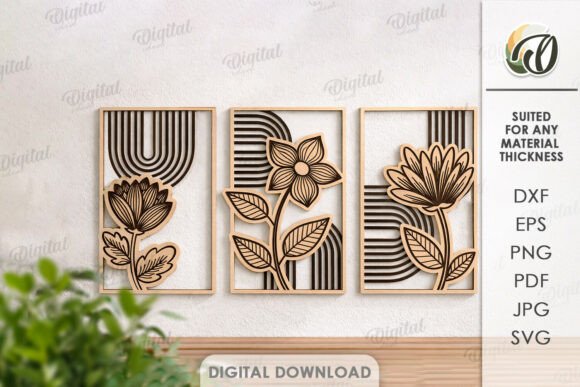
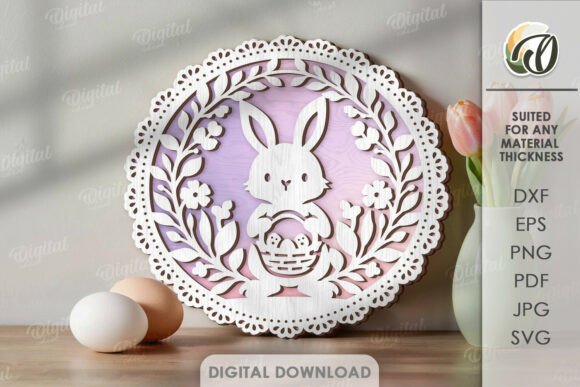
For those new to digital crafting, the concept of buying a file rather than a finished object can seem abstract. However, the value lies in the flexibility and personalization it affords. When you purchase the Easter Wall Signs Bundle Laser Cut, you are acquiring the tools to create an original design that fits your specific vision. The photos provided in the listing are intended only for inspiration, showcasing what is possible when these digital vectors are brought to life through cutting machines or printing processes.
This approach shifts the power of creation into your hands. Whether you own a laser cutter, a CNC machine, or simply want to use the PNG and JPEG files for standard printing, the bundle accommodates various skill levels and equipment types. The inclusion of multiple formats ensures compatibility with popular software like Cricut Design Space, Silhouette Studio, Adobe Illustrator, and CorelDRAW. This versatility means you are not locked into one method of production; you can experiment with different materials and techniques to see what best suits your space.
Real-World Applications for Home and Office
The possibilities of creation are endless when you have high-quality vector files at your disposal. Here is how different users can leverage this bundle in practical, everyday scenarios:
- Seasonal Home Refresh: For homeowners, Easter marks the transition from winter to spring. Using the SVG files, you can cut intricate signs from wood, acrylic, or cardstock to hang on entryways, living room walls, or above mantels. These signs act as focal points that welcome guests with a festive spirit.
- Classroom and Educational Settings: Teachers often look for engaging ways to decorate classrooms during holiday periods. The PDF and PNG formats allow for easy printing of posters or bulletin board decorations. These visuals can help create a warm, inviting learning environment while celebrating the season.
- Small Business and Retail Displays: Boutique owners and cafe managers can use these designs to update window displays or interior signage. A laser-cut wooden sign featuring an Easter motif can enhance the ambiance of a shop, encouraging customers to take photos and share them on social media, thereby increasing organic visibility.
- Event Decor and Parties: If you are hosting an Easter brunch or egg hunt, the bundle provides quick access to decorative elements. You can create table centerpieces, photo booth backdrops, or directional signs for outdoor activities. The ability to scale vector files without losing quality ensures that your decorations look sharp, whether they are small place cards or large banners.
Choosing the Right Materials for Your Project
One of the most critical considerations when using the Easter Wall Signs Bundle Laser Cut is material selection. The design files are just the beginning; the final impact depends heavily on what you choose to cut or print. For laser cutting, plywood and MDF are popular choices for their affordability and ease of cutting. They provide a rustic, natural look that pairs well with spring themes. Acrylic, on the other hand, offers a modern, sleek appearance and comes in various colors, allowing for vibrant, eye-catching signs.
If you are working with paper crafts, cardstock weight is crucial. Heavier cardstock provides durability and a premium feel, especially for standalone signs or layered 3D effects. For those using the JPEG and PNG files for printing, consider the type of paper or canvas. Matte finishes often reduce glare and give a sophisticated look, while glossy finishes can make colors pop. Understanding the interaction between your design and your chosen material helps avoid common pitfalls such as warping, tearing, or poor contrast.
Navigating File Formats and Technical Requirements
Understanding the file types included in the zip folder can significantly enhance your workflow. SVG and DXF files are vector-based, meaning they use mathematical paths to define shapes. This allows you to resize the designs infinitely without any loss of quality, which is ideal for laser cutting and vinyl plotting. EPS files are also vector-based and are widely used in professional graphic design software.
In contrast, PDF, JPEG, and PNG are raster or fixed-layout formats. These are best suited for printing or viewing on screens. If you plan to send your designs to a professional print shop, PDFs are often the preferred format due to their consistency across different devices. Knowing which file to use for which task saves time and prevents frustration. For instance, attempting to enlarge a JPEG for a large wall sign may result in pixelation, whereas an SVG will remain crisp regardless of size.
Customization and Creative Freedom
A major advantage of digital bundles is the ability to customize. While the ten designs in the Easter Wall Signs Bundle Laser Cut are ready to use, they also serve as a foundation for further creativity. You can combine elements from different designs, change colors, or add text to personalize the signs. This level of control allows you to match the decor to your existing color scheme or brand identity.
For example, if your home features a neutral palette, you might choose to paint the laser-cut wood in soft pastels or leave it natural for a minimalist look. In a corporate office, you might opt for bold, branded colors to maintain professionalism while still acknowledging the holiday. This adaptability makes the bundle a valuable resource for anyone looking to add a personal touch to their environment without the constraints of pre-made, mass-produced items.
Practical Tips for Best Results
To get the most out of your purchase, consider these practical observations. First, always test your settings on a scrap piece of material before cutting your final design. Laser power and speed settings vary depending on the machine and material thickness. Second, clean up your digital files if necessary. Sometimes, small nodes or overlapping paths need adjustment to ensure smooth cutting. Most vector editing software allows you to simplify paths and remove unnecessary points.
Additionally, think about the mounting and display method early in the process. Will you use adhesive strips, nails, or easels? Planning this ahead of time can influence the thickness of the material you choose and whether you need to add backing layers for stability. These small details contribute to the overall professionalism and longevity of your finished project.
If you have any questions about file compatibility or design specifics, please write me a message. I am here to help ensure your experience is smooth and successful. Happy shopping, and enjoy the creative process of bringing these Easter designs to life!